

Share
In the admin: Dashboards › a Dashboard › Settings › Share
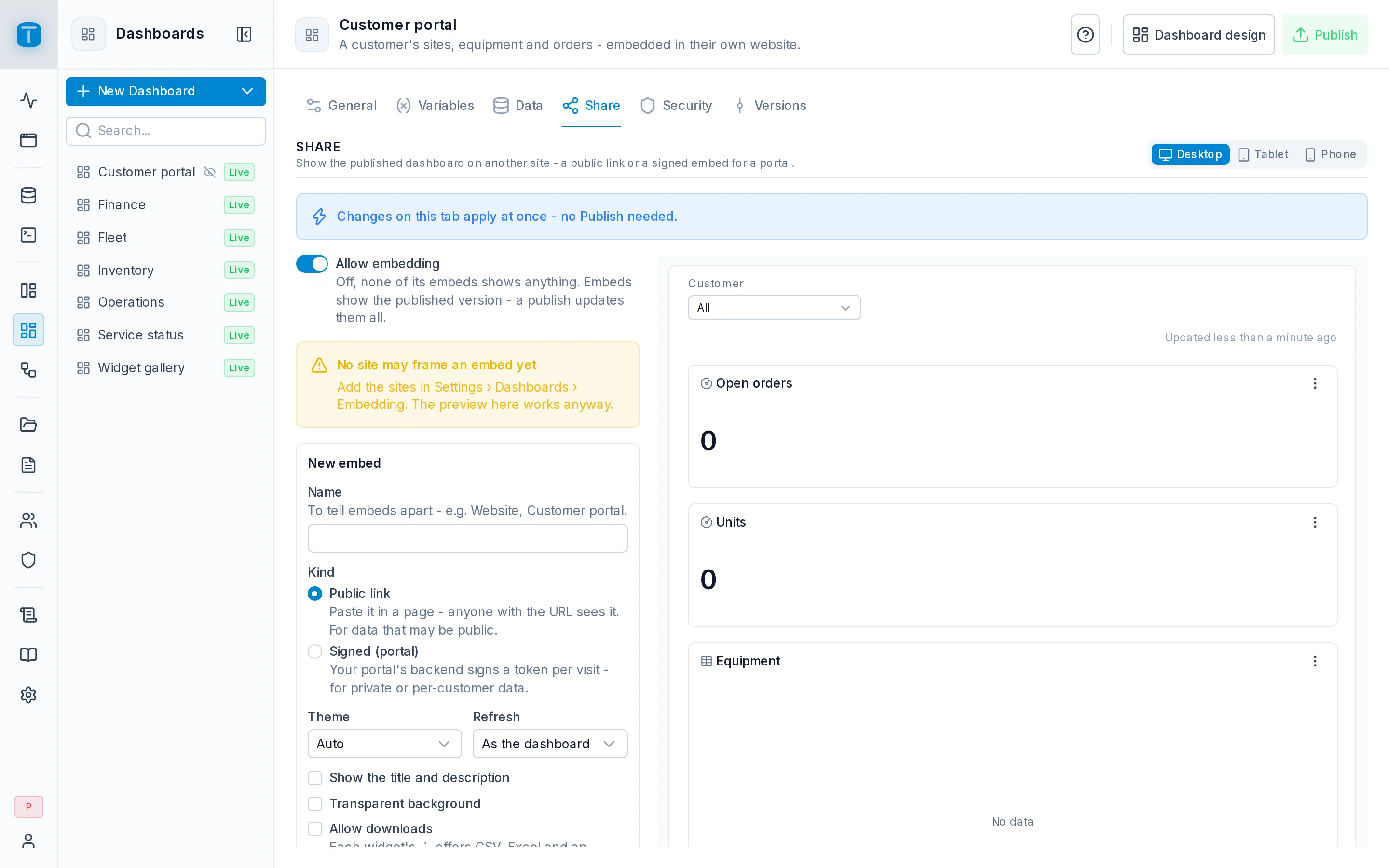
Share shows a published dashboard on another site, to visitors without a TotalBase account. Each way it's shown is an embed: a public link for data that may be public, or a signed embed for a portal that shows each visitor their own data. Acme's public Service status page uses a link; its customer portal uses a signed embed of the Customer portal dashboard.
Changes here apply at once, without publishing. Every embed shows the dashboard's published version: a publish updates them all, and a draft never shows.
Before you start
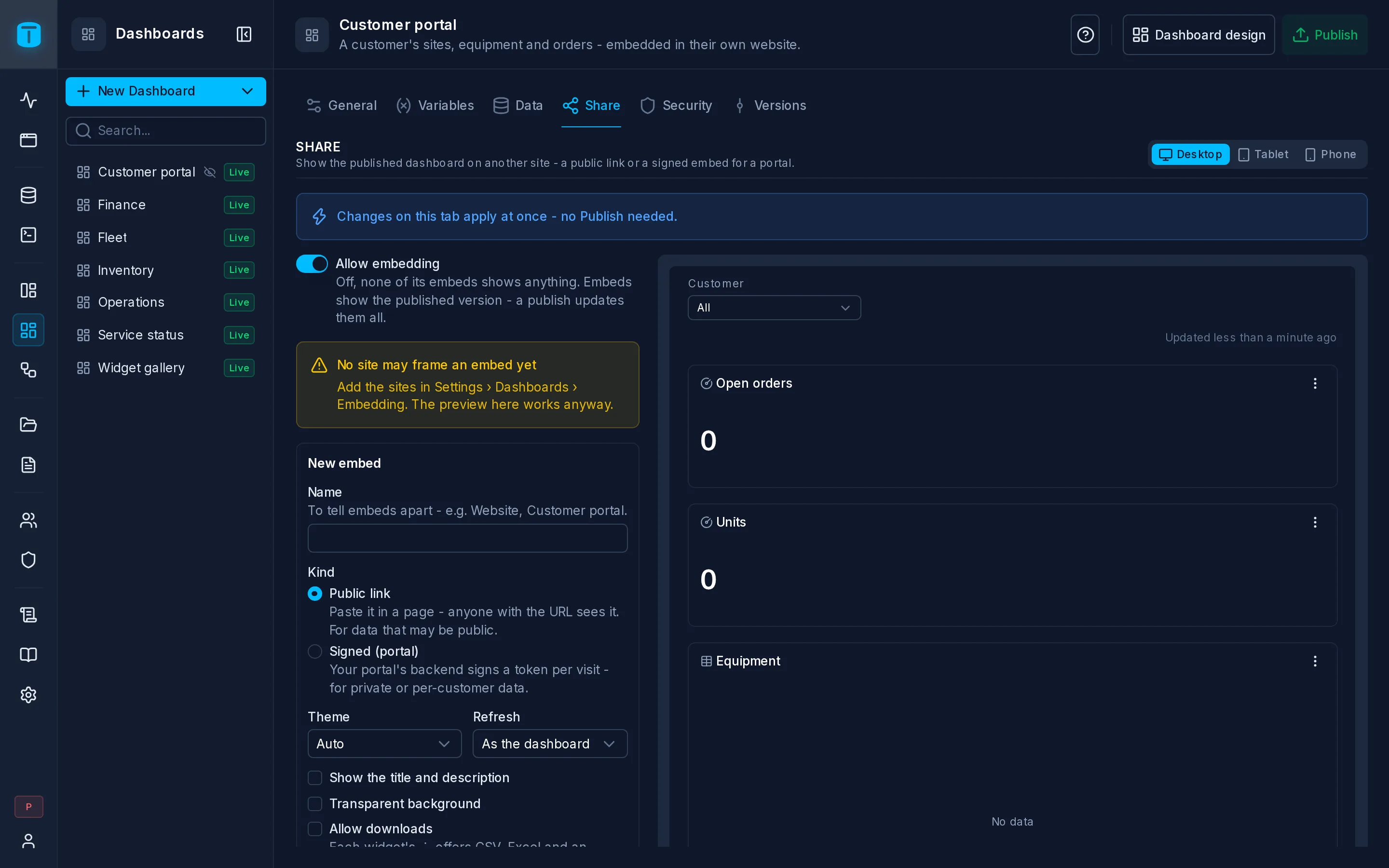
- Allow embedding, the dashboard's switch at the top. Off, none of its embeds shows anything.
- Sites that may embed, in Settings › Dashboards (Embedding): the exact origins allowed to frame an embed, such as
https://portal.acme-field.example. Until there's one, no site can frame any embed; the preview here works anyway. - The embedding secret, in the same place, for signed embeds: the secret your portal's backend signs tokens with. It never reaches a browser.
Notices on the page say when the dashboard has unpublished changes and when no site may frame an embed yet.
Designing an embed
New embed opens the form beside a live preview: the real embed page, at Desktop, Tablet or Phone width, showing exactly what the form says.
| Field | |
|---|---|
| Name | Up to 32 characters, unique in the dashboard: Website, Customer portal |
| Kind | Public link or Signed (portal). Chosen once |
| Theme | Auto, Light or Dark |
| Refresh | As the dashboard, Off, or an interval |
| Show the title and description | the dashboard's name and description above it |
| Transparent background | the embedding page shows through |
| Allow downloads | each widget's ⋮ offers CSV, Excel and an image. Off by default |
| Show private files | images the queries return that aren't public files, such as a technician's photo. Off by default: Image not available on this link |
| Variables | each published variable's mode and value (below) |
| Sites that may frame it | some of the instance's sites. Empty: all of them |
| Expires | Never, In 30 days, In 90 days, In a year |
Create link or Create signed embed saves it. Editing an embed keeps its link and its tokens working.
Variables
Each variable the published version has gets a mode. A value is written as in the App's address: a preset or 2026-01-01..2026-03-31 for a period, commas between several values.
| Mode | |
|---|---|
| Editable | In the bar: the visitor chooses. The value is where it starts. A new variable is Editable until you say otherwise |
| Hidden | Not in the bar: bound to its value, or its default. Not a restriction: it says nothing the dashboard doesn't show |
| Locked | Fixed by the embed: the visitor can never change it. The embed's restriction |
Only Locked restricts data. Use it with a query such as WHERE s.customer = $VAR.customer::uuid. A public link needs a value for each Locked variable. On a signed embed, a Locked variable left empty is given by the token, per visitor.
An embed has no viewer: $USER is unavailable, and a widget whose query uses it fails. A click runs only when it filters a variable the visitor may change, or opens a URL marked Also in embeds; the form lists the widgets whose click doesn't run there.
Public link
The link is the access: https://acme.example/admin/embed/tbe_…. Anyone who has it sees the dashboard. It sits in the embedding page's HTML and also opens outside a frame, where the page says Only available embedded: a deterrent, not security. The sites only decide who may frame it.
Use a public link only for data that may be public, such as orders completed this week and the average response time.
Signed (portal)
For private or per-visitor data. The URL to frame is https://acme.example/admin/embed/<embed id>#<token>. For each page view, your portal's backend signs a short-lived token naming the embed and the values that depend on the visitor. The token travels after #, so it's never sent to a server or logged.
The token is a JWT signed with HS256 and the embedding secret. Its payload:
{ "resource": { "embed": "6f1c2a4e-…" }, "params": { "customer": "b3e9…" }, "exp": 1767225600 }
resource.embed: the embed's id. The dashboard's id never appears.params: a value for every Locked variable the embed leaves empty, and nothing else.exp: required, in seconds, in the future and at most an hour away by default.
Any other algorithm, a wrong signature, an expired token or a wrong params is refused. Copy payload gives the shape for an embed. In Node, with no library:
import { createHmac } from 'node:crypto'

const part = (value) => Buffer.from(JSON.stringify(value)).toString('base64url')

export function customerPortalUrl(secret, embedId, customerId) {
  const header = part({ alg: 'HS256', typ: 'JWT' })
  const payload = part({
    resource: { embed: embedId },
    params: { customer: customerId },
    exp: Math.floor(Date.now() / 1000) + 10 * 60
  })
  const signature = createHmac('sha256', secret).update(`${header}.${payload}`).digest('base64url')
  return `https://acme.example/admin/embed/${embedId}#${header}.${payload}.${signature}`
}
Its embeds
The list shows each embed's name, kind, status (Active, Expired, Revoked, Needs update), when it was last used and when it expires, with:
- Copy link (a public link) or Copy URL and Copy payload (a signed embed);
- Copy iframe: the frame, with a listener that sizes it to the dashboard's height;
- Edit;
- Revoke: it stops at once, for good. A revoked embed can then be deleted.
Creating, changing, revoking and deleting an embed are recorded in the audit log.
Failing closed
Variables change between versions. If the published version no longer has a variable an embed locks, that embed stops showing anything (Needs update), rather than show the dashboard without its restriction. Before you publish, the editor's Publish lists the embeds it would stop. A variable an embed doesn't lock that's gone is simply gone.
Next steps
- Variables: the variables an embed locks.
- Settings › Dashboards: sites, secret and token lifetime.