

Views
In the admin: Database › a schema › Views
A view is a saved query, and PostgreSQL already has them. TotalBase has no saved queries or computed fields of its own: a view takes their place, and becomes a VIEW resource you can expose, grant and read like a table. It's read-only.
GET /api/{schema}/view/{name}
When to use one
- Joined, flattened data for a screen, a report or an integration.
work_orders_overviewcombines each order with its customer, site, technician, hours worked and parts total, so a client reads one resource instead of five. - Computed columns, such as
due_at < now() AS overdueorquantity * unit_price AS amount. - A narrower surface. Expose a view with only the columns a role should ever see, instead of granting a table field by field.
- Aggregations the Data API can't express: a sum of an expression, a month bucket, a window function.
Creating one
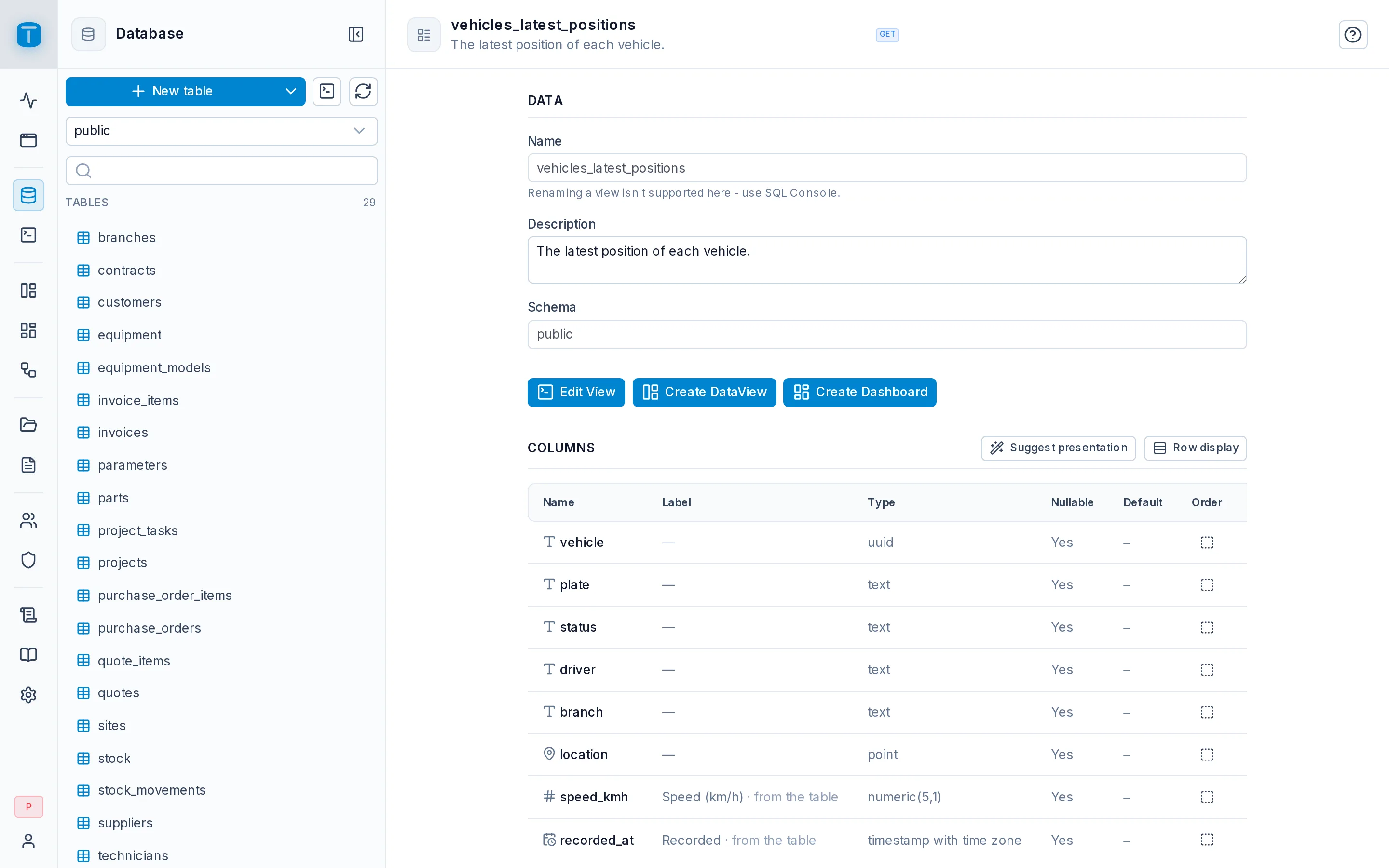
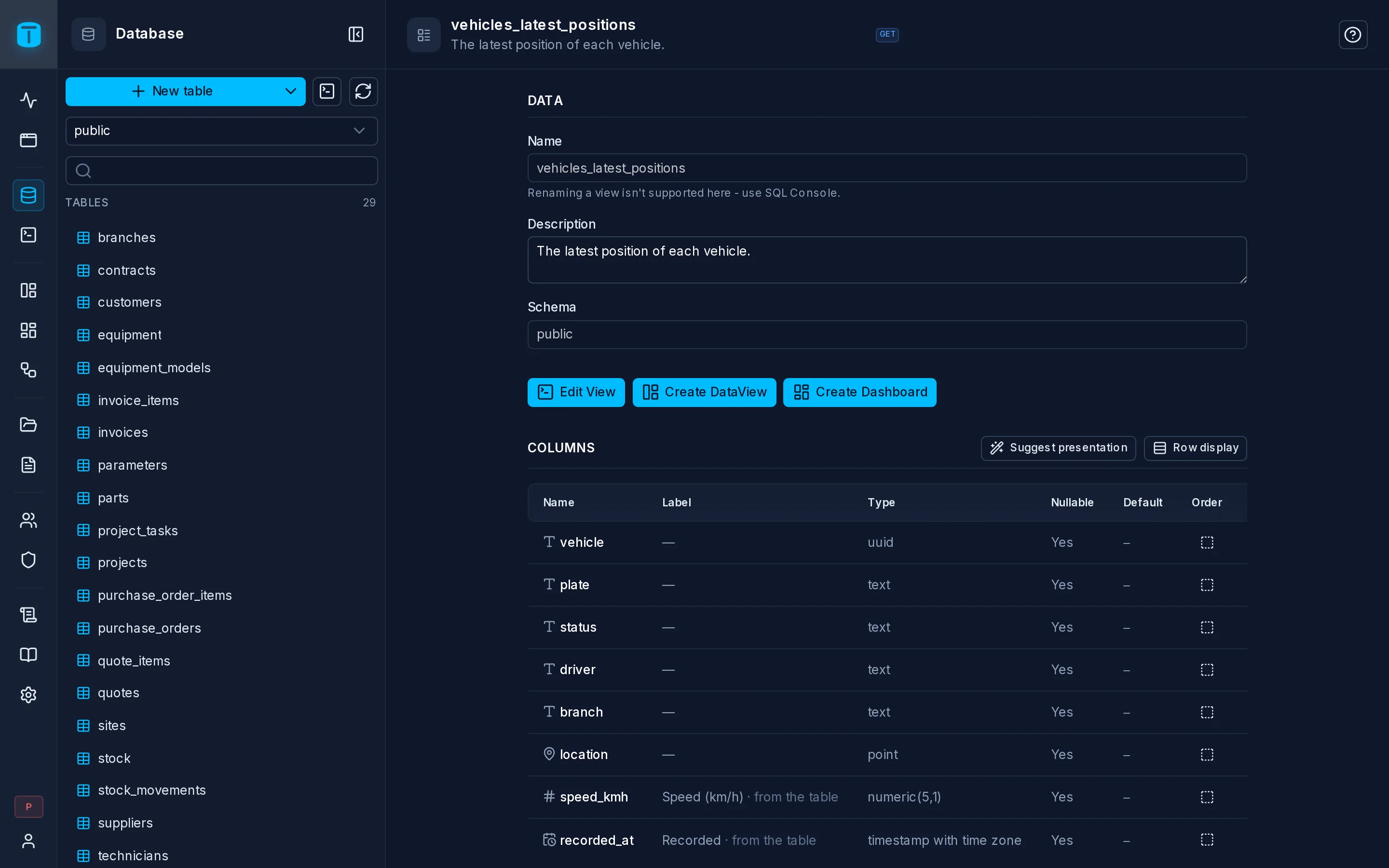
Views are written in SQL. In Database, choose a schema and New view: the SQL Console opens with a skeleton to fill in. Acme's live fleet map reads one row per vehicle, its latest position:
CREATE VIEW public.vehicles_latest_positions AS
SELECT DISTINCT ON (p.vehicle)
       p.vehicle, v.plate, v.status, v.branch, v.technician,
       p.location, p.speed_kmh, p.recorded_at
FROM vehicle_positions p
JOIN vehicles v ON v.id = p.vehicle
ORDER BY p.vehicle, p.recorded_at DESC;
TotalBase picks it up at once as a hidden resource.
Exposing and granting
A view has one method, GET, and one action, READ. Enable GET in its Endpoints, then grant READ with the fields each role may see, the same way as for a table. A row filter works too:
{ "branch": { "_eq": "$USER.branch" } }
GET /api/public/view/vehicles_latest_positions?where[status][_eq]=ON_ROUTE
The view's own grant decides who reads it. Grants on the tables underneath don't apply to reads through the view: TotalBase's database role runs the query. A view is a deliberate way to publish some data, so think about what it returns before granting it.
Reading a view
The whole query language works on views: fields, where, search, order_by, pagination, count, aggregates. Two differences from a table:
- No relations. A view has no foreign keys, so
vehicle.plate-style paths don't work. Join what you need in the view itself. - No read by key.
GET /api/{schema}/view/{name}/{id}doesn't exist; filter by the column instead.
DataViews can be built on a view, as long as they only read: a list, a map, a calendar. Acme's live fleet map is a MAP DataView over vehicles_latest_positions.
Column presentation
When a view's column comes straight from a table's column, as v.plate does, it shows with that column's label, format and colors automatically. PostgreSQL records where each column of a view comes from, and TotalBase reads it, so a replaced view or a renamed column needs no update. A computed column (overdue) has no table column behind it; set its presentation on the view's own Columns tab.
Materialized views
A materialized view stores its result, so it's fast to read but only as fresh as its last refresh. It's a VIEW resource too, always read-only. Refresh it on a schedule with a workflow: a CRON trigger and a SQL step running REFRESH MATERIALIZED VIEW .... Add CONCURRENTLY so readers aren't blocked while it refreshes; PostgreSQL then needs a unique index on the materialized view.
Changing and dropping
A view's page shows its definition. Edit opens it in the SQL Console as CREATE OR REPLACE VIEW.
CREATE OR REPLACEkeeps the view's identity: its exposure, permissions and the DataViews built on it stay.DROP VIEWandCREATE VIEWagain makes a new, hidden resource with no permissions.
PostgreSQL only lets CREATE OR REPLACE add columns at the end; to remove or reorder columns you have to drop and recreate, and then grant again.