

Formulas
In the admin: Design form › a widget › Bind (ƒ) · Settings › Views › a layout
A formula computes a value: a card's title from two columns, a pin's color from a status, a label with a count, whether a field is visible. Formulas look like spreadsheet formulas, run in the browser as the page draws, and never change data.
Formulas appear in two places:
- Layouts of the list types: a card's title and image, a kanban card's description, a calendar event's color, a map pin's icon. They read the row's columns.
- Widget props, with the Bind button (ƒ) in the inspector: a text, a color, a label, Visible, Disabled, Read only. They read the page's variables and widgets.
Writing one
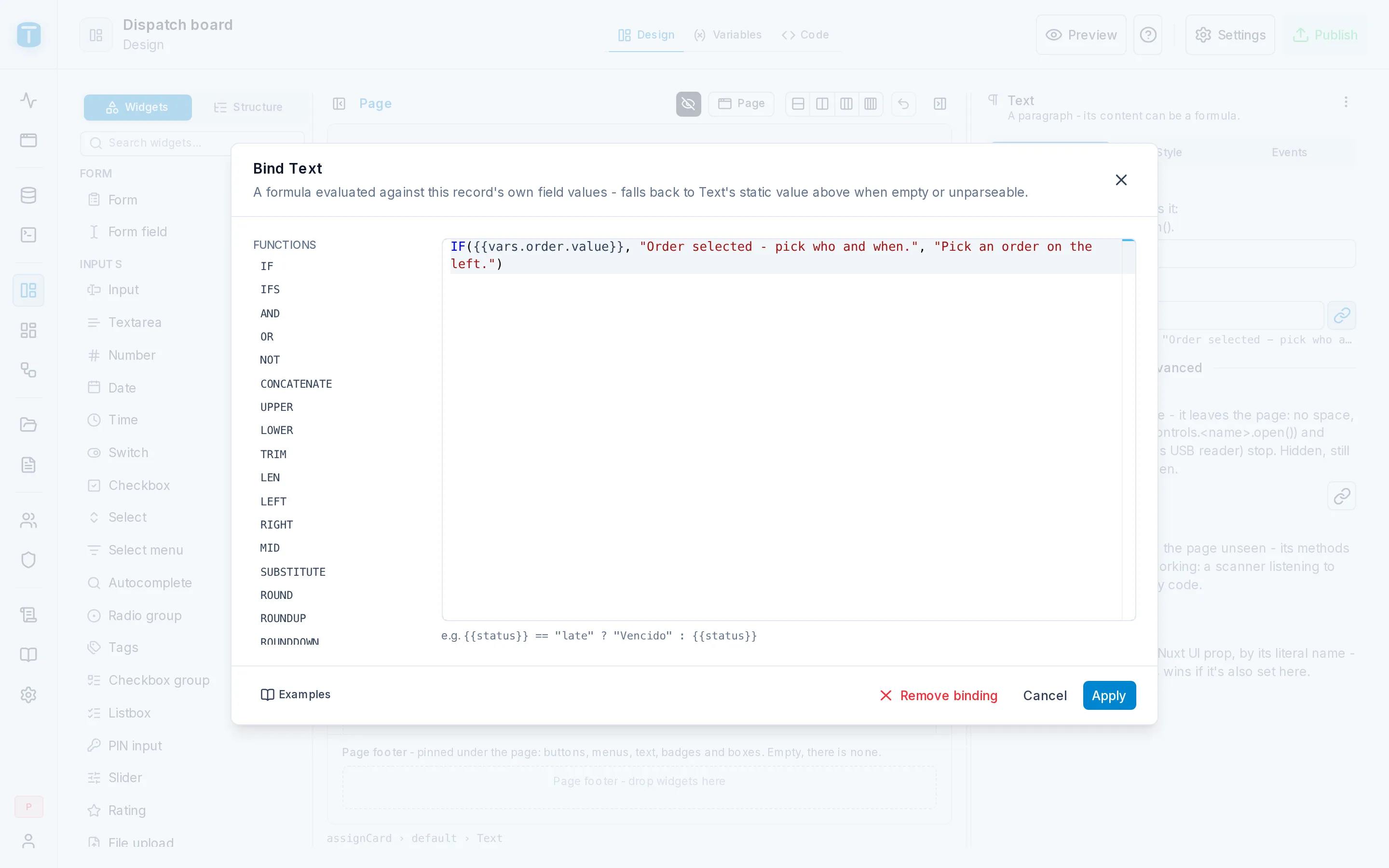
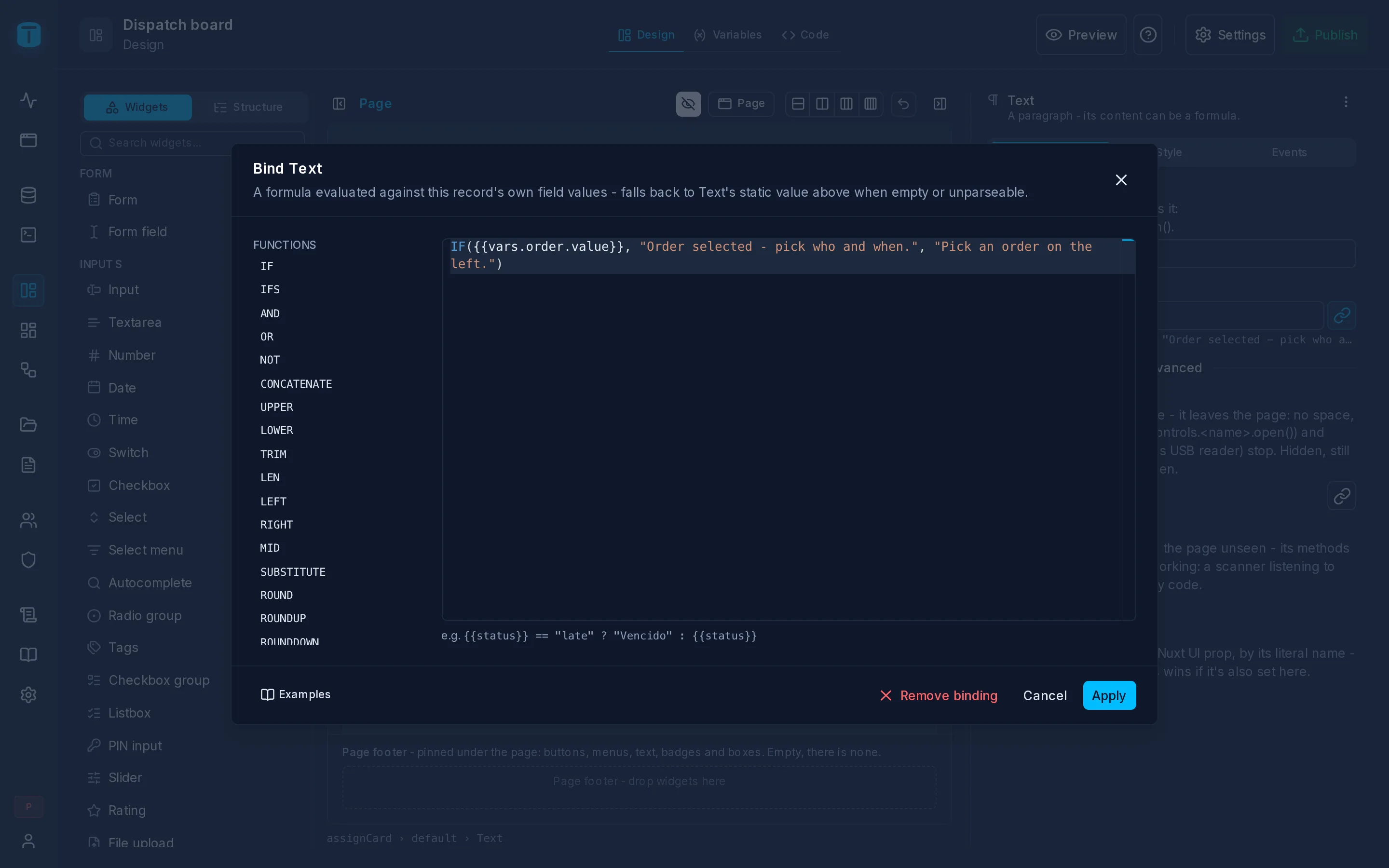
CONCATENATE({{brand}}, " ", {{model}})
IF({{stock}} <= 0, "error", "success")
"Visits (" + {{vars.visits.count}} + ")"
{{vars.record.data.status}} == "COMPLETED"
Tokens
| Token | Reads |
|---|---|
{{column}} | a column of the row: a list's row, a select's option, a table widget's row |
{{fk}} | in a view's title, description, color or icon: a foreign key shows as its row does in a grid (its table's row display), {{work_order}} → WO-1042; compared, it is its key |
{{fk.column}} | one step through a foreign key: {{site.address}} |
{{vars.x.path}} | a variable: {{vars.record.data.total}}, {{vars.unassigned.count}}. {{vars.x}} alone is a Value's value, or a Resource's or Call's data |
{{controls.x.path}} | a named widget's state: {{controls.selectCustomer.item.tax_id}} |
{{slot.x.path}} | inside a tab or a section: its item |
Operators
+ (it joins text when either side is text), -, *, /, %; ==, !=, >, >=, <, <= (they compare dates too); &&, ||, !; and condition ? a : b.
Functions
| Group | Functions |
|---|---|
| Logic | IF, IFS, AND, OR, NOT |
| Text | CONCATENATE, UPPER, LOWER, TRIM, LEN, LEFT, RIGHT, MID, SUBSTITUTE |
| Numbers | ROUND, ROUNDUP, ROUNDDOWN, ABS, SUM, MIN, MAX, AVERAGE, PRODUCT, MOD, POWER, SQRT |
| Checks | ISBLANK, ISNUMBER, ISTEXT |
| Dates | DATE, TODAY, NOW, YEAR, MONTH, DAY, EDATE, DATEDIF |
| Formatting values | FORMAT_NUMBER(n, decimals or pattern), CURRENCY(n, code), FORMAT_DATE(d, pattern?), in the user's language |
| Rich text | BOLD, ITALIC, UNDERLINE, STRIKETHROUGH, COLOR, BADGE, LINK, NEW_LINE, ICON |
A bare {{price}} stays the raw number; CURRENCY({{price}}, "ARS") shows it as money.
Where a formula fits
- A computed input: an input's value can be a formula instead of a variable:
{{vars.subtotal.value}} * 1.21. It then shows the result, read-only, and saves nothing. What must be stored, a trigger computes in PostgreSQL, or Code sets withrecord.set. - Per option: a select's option label or color can be a formula evaluated for each option:
{{code}} + " - " + {{description}}, or{{balance}} < 0 ? "error" : "success". - Per item: a tab's label, such as
"Payments (" + {{vars.payments.count}} + ")", and its Visible and Disabled.
Props that say what a widget is (its variable, its column, whether it's multiple) or its layout (size, orientation) stay fixed: only what can follow the page's data takes a formula.
When it fails
A formula never breaks the page. One that fails (a division by zero, a missing token) gives no value, and the prop's fixed value is used instead. A token with no value reads as empty in a text.
Formulas aren't filters
A Resource's where doesn't use formulas: {{vars.*}} there is bound as a parameter of the query, and PostgreSQL does the filtering. Conditions on a column's look are filters too, evaluated by PostgreSQL. See Variables and Column presentation.
Next steps
- Code: when a computed value isn't enough.