

System Emails
In the admin: Templates › System
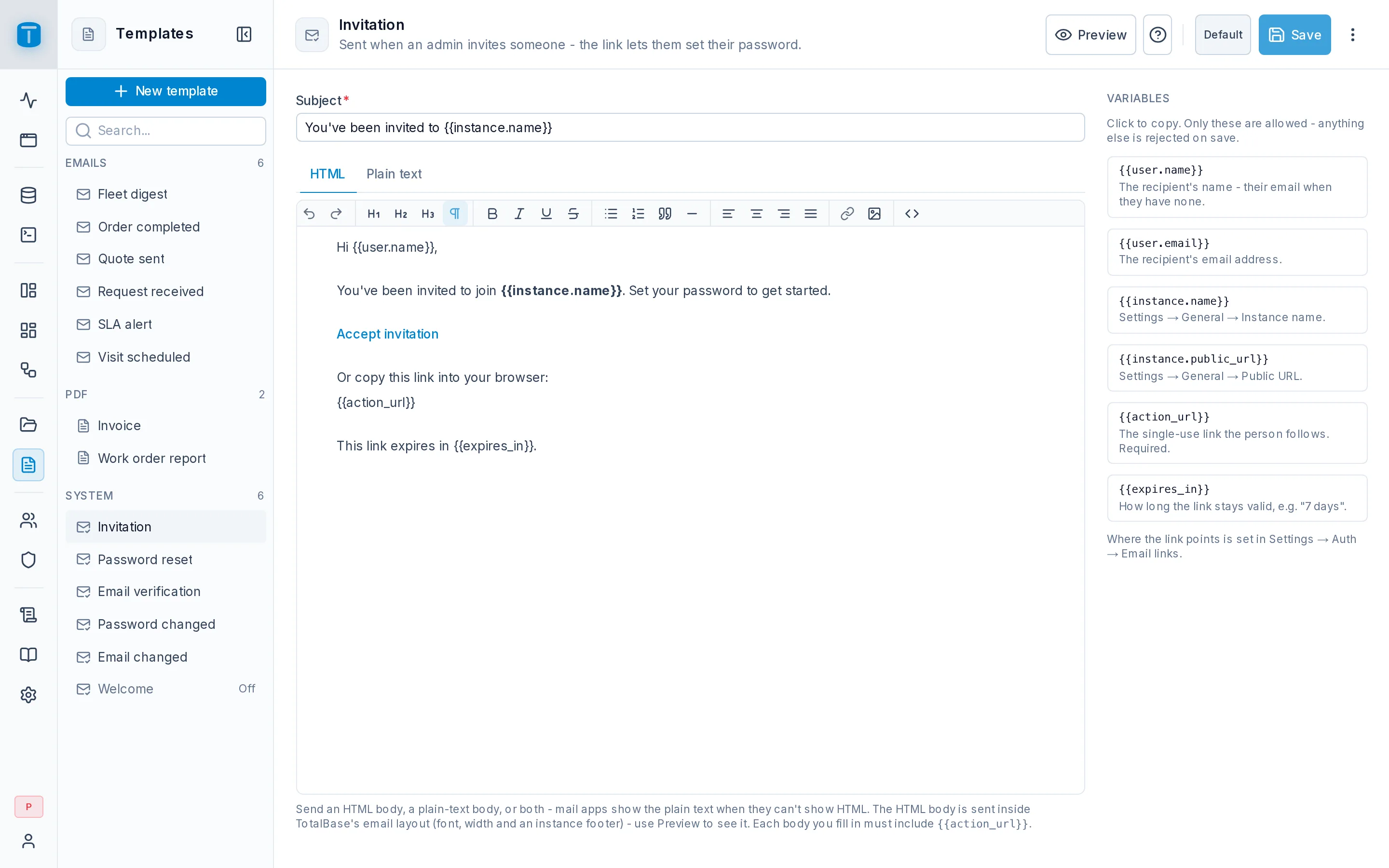
TotalBase sends some emails itself: an invitation, a password reset, a security notice. Administrators can rewrite each one under Templates › System. Until you edit one, it's TotalBase's built-in version, marked Default; an edited one is marked with a dot.
| Sent | |
|---|---|
| Invitation | when an administrator invites someone; its link lets them set their password |
| Password reset | when someone asks to reset a forgotten password, or an administrator sends a reset |
| Email verification | after registration, so the person confirms they own the address |
| Password changed | a security notice after a password is changed or reset |
| Email changed | a security notice to the previous address when an administrator changes a user's email |
| Welcome | once an invited or registered account is ready (off by default) |
Editing one
- Subject, up to 200 characters.
- HTML and Plain text bodies: fill one or both. Mail apps show the plain text when they can't show HTML. The HTML body is sent inside TotalBase's email layout, with its font, width and a footer.
- Preview shows it rendered for you with a sample link, unsaved changes included. Nothing is sent.
- Restore default…, in the ⋯, discards your edits.
The three notices (Password changed, Email changed, Welcome) have a Sending / Off switch in the header.
Variables
Only these placeholders are allowed; anything else is refused on save. The Variables panel lists them; click one to copy it.
| Placeholder | In | |
|---|---|---|
{{user.name}} | the recipient's name, or their email when they have none | all |
{{user.email}} | the recipient's email | all |
{{instance.name}} | the instance name, from Settings › General | all |
{{instance.public_url}} | the public URL, from Settings › General | all |
{{action_url}} | the single-use link the person follows | Invitation, Password reset, Email verification |
{{expires_in}} | how long the link is valid, such as 7 days | Invitation, Password reset, Email verification |
{{new_email}} | the new address | Email changed |
An email with a link must include {{action_url}} in every body you fill. TotalBase builds the link itself; the template only places it. Where the link points is set in Settings › Access › Authentication, under Email links.
Edits and restores are recorded in the audit log.
Next steps
- Settings › General › SMTP: the mail relay.
- Managing users: invitations and resets.