

General
In the admin: Workflows › a Workflow › Settings › General
Settings in the editor's header opens the workflow's settings, in five sections: General, Trigger, Security, Versions and Runs. Workflow design goes back to the canvas. Changes are saved as you make them, and each section says whether it applies at once or on the next Publish.
General applies at once, without publishing.
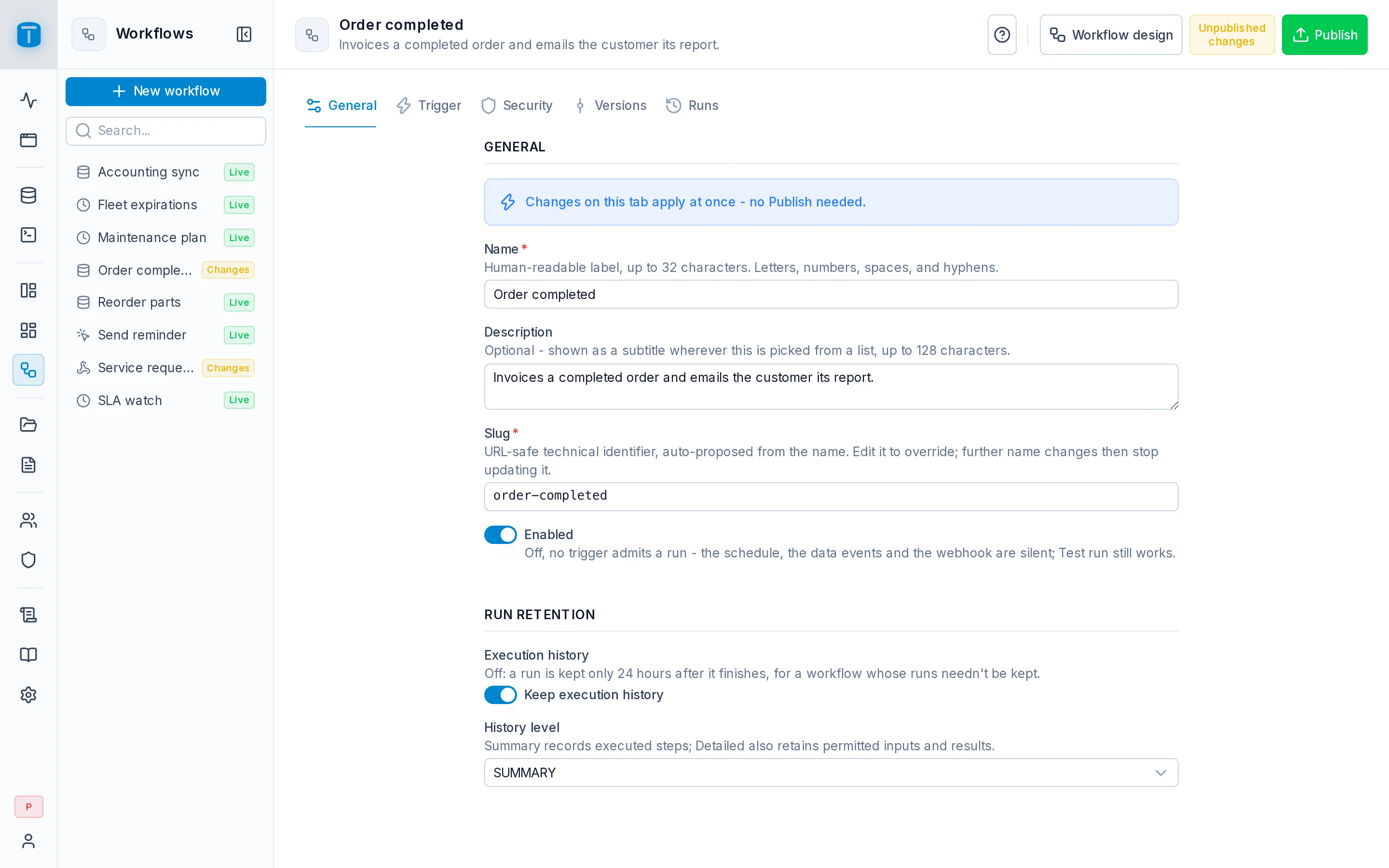
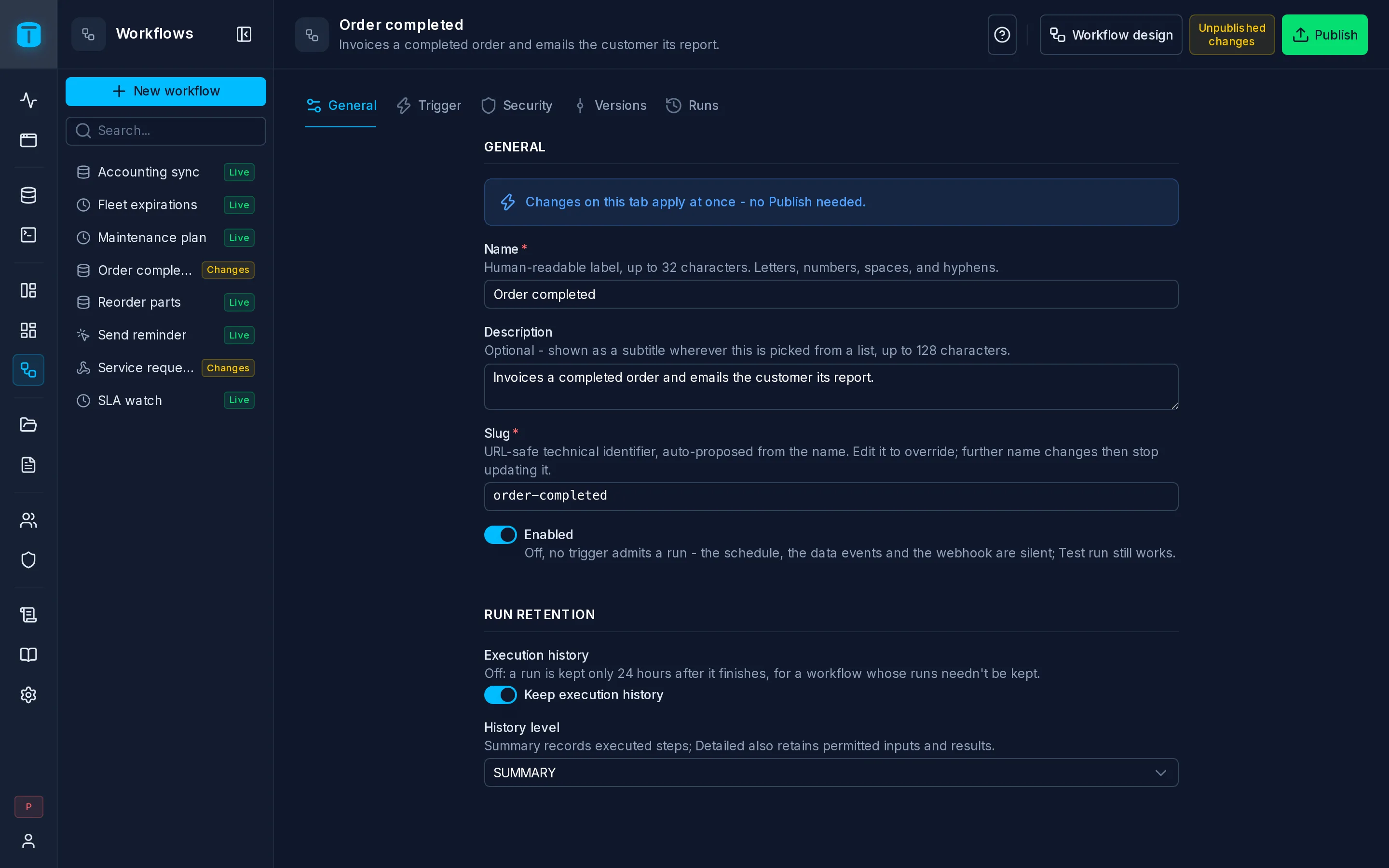
Identity
| Field | |
|---|---|
| Name | Required, up to 32 characters, unique |
| Description | Optional, up to 128 characters. Shown under the name in the editor's header |
| Slug | Required, unique, up to 32 characters. Changing the name never changes it |
/api/workflows/{slug}/run and /api/workflows/{slug}/webhook. Changing it breaks every caller that uses the old one, such as a website posting to a webhook, and the Call variables of App pages, which name the workflow by its slug. DataView custom actions keep working: they point at the workflow itself.Enabled
Enabled decides whether anything but a test run can start the workflow. Off, no trigger starts a run: the schedule, the database events and the webhook are silent, and Run › Production and the run route refuse it. Run › Test still works.
- It can only be turned on once the workflow has been published: Publish this workflow before enabling it.
- Turning it off stops new runs. A run in progress continues; cancel it in Runs if needed.
- It isn't versioned: it applies at once to the live version, whatever the draft holds.
Auto-disable
A workflow that fails repeatedly turns itself off. After workflows.auto_disable_after_consecutive_failures failed production runs in a row (10 by default), it's disabled, and the editor shows Auto-disabled with the count: Auto-disabled after 10 consecutive failed runs. A successful run resets the count.
What counts: production runs that end Failed, including a database event or a schedule that couldn't start a run (a loop, an inactive Execute as user). What doesn't: test runs, canceled and interrupted runs, and a scheduled occurrence skipped because the previous run was still running.
Fix the cause, then turn Enabled on again; that resets the count.
Run retention
| Field | |
|---|---|
| Execution history | Keep execution history. Off: a run is kept only 24 hours after it finishes, for a workflow whose runs needn't be kept |
| History level | SUMMARY or DETAILED, while history is on |
| Level | Each run keeps | Kept for |
|---|---|---|
| SUMMARY | which steps ran, in order, their outcome, the output each took, timings and errors. No inputs or results | workflows.history_summary_retention_days, 30 days |
| DETAILED | the same, plus each step's input (its resolved configuration) and result | workflows.history_detailed_retention_days, 7 days |
| history off | the same as its level, for 24 hours |
A new workflow starts on DETAILED, what you want while building it. Once it's stable, SUMMARY keeps a month of runs without their data.
Whatever the level:
- values under a key that looks like a credential (
password,secret,token,authorization,cookie,api_key) are stored as[REDACTED]; - a value larger than
workflows.max_history_payload_bytes(64 KiB) is stored as{ "truncated": true, "originalSizeBytes": … }; - the setting is fixed for each run when it starts: changing it affects only new runs.
The audit log is separate: every record a run writes is audited whatever its history level, and kept by the audit log's own retention.
The retention periods are set for the whole instance in Settings › Features › Workflows.
Deleting a workflow
Delete… is in the editor's ⋮ menu. It removes the workflow's design, every version, its runs and its invoke grants. Records it created in your tables are not deleted.