

Kanban
In the admin: New DataView › Kanban · Settings › Views › Kanban
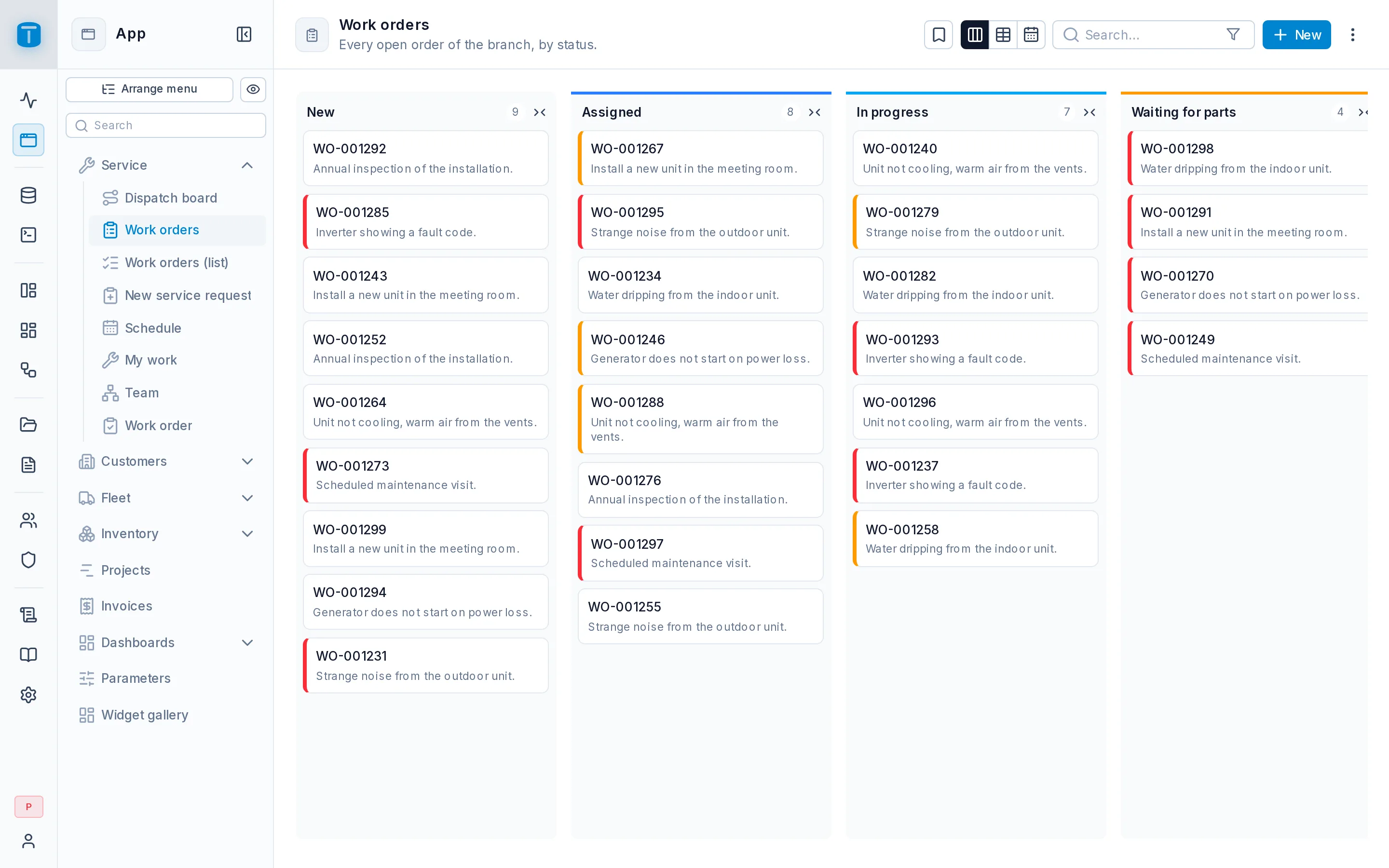
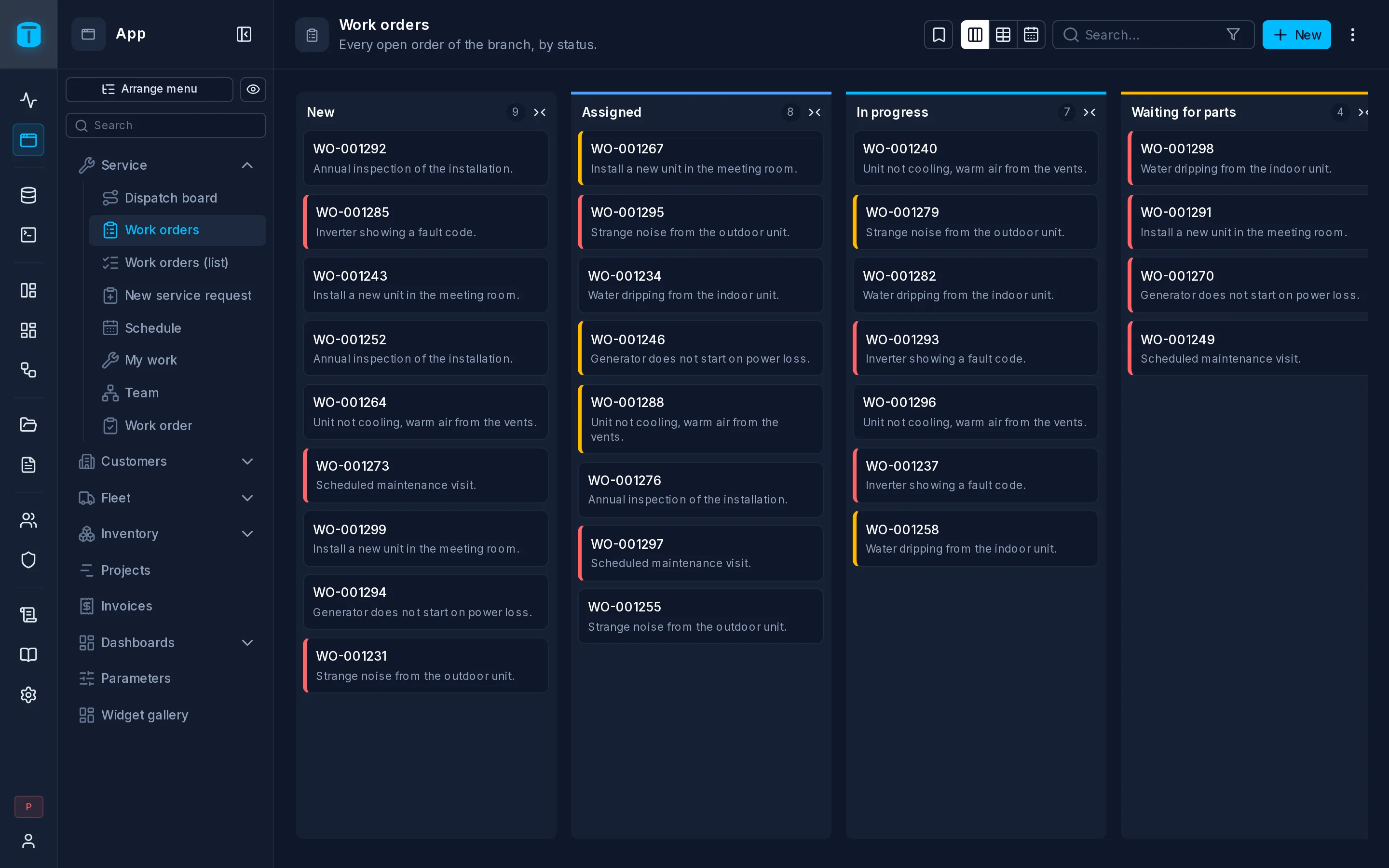
A Kanban shows rows as cards in lanes, one lane per status. Moving a card to another lane changes the row's status. Use it for anything that flows through stages: work orders, sales opportunities, tickets, purchase approvals.
At Acme, dispatchers work from the Work orders kanban: a lane per status, cards colored by priority, and a drag from New to Assigned when an order gets a technician.
What it needs
A column to group by, which must be one of:
- A column with a
CHECKlist, such asstatus text CHECK (status IN ('NEW', 'ASSIGNED', 'IN_PROGRESS', 'COMPLETED', 'CANCELLED')). There's a lane per value, in the order theCHECKlists them. Each lane takes its label, color and icon from the column's presentation (Database › the table › the column › Properties). - A foreign key, such as
stage uuid REFERENCES stages. There's a lane per row of the table it points at (up to 100), titled by that table's row presentation.
Free text never makes lanes: the values have to be fixed by the database.
The layout
| Field | |
|---|---|
| Group by | Required. The CHECK list column or the foreign key |
| Card title | Required. The card's headline |
| Card description | Optional, under the title |
| Card image | Optional, at the top of the card |
| Read only | Cards don't move between lanes. Use it when something else sets the column, such as a function or a workflow |
| Lane order | Move lanes up or down. A lane added later goes at the end |
Like Cards, the title, description and image take a column or a formula.
With a foreign key, the referenced table can set the board further. A numeric column named position, sort_order, display_order or order orders the lanes, and a text color column colors them. The wizard finds them when it creates the DataView; without them, lanes are ordered by name.
What users can do
- Drag a card to another lane. The row is updated at once, through the Data API, so only users who may update the row can move it, and PostgreSQL still decides. Acme's
CHECKthat a completed order has a resolution refuses a card dropped in Completed without one: the card stays where it was, and Could not move card shows the constraint's message. - Open a record by clicking its card.
- Collapse lanes they don't need. That's remembered per user.
- Search and filter, which narrows every lane.
Rows with no status, or one pointing at a row that's gone, show in an Unassigned lane at the end. Cards can be dropped there only when the column accepts null.
To color cards by something other than the lane, such as Acme's priority, add a row condition to the priority column: {"priority": {"_eq": "URGENT"}} with a red color. The card gets a colored edge. See Settings › Data.
Limits
A board shows all its cards at once instead of paging, up to 500. Change it in Settings › Features › DataViews (dataviews.kanban_max_cards). Past that, filter the DataView, for example to orders that aren't closed.
Next steps
- Quickstart by Hand: build this kanban step by step.
- Settings › Views: offer the same rows as a table or a calendar too.