

Emails
In the admin: Templates › Emails › a template
An email template is a subject and a message with {{variable}} placeholders. A workflow's Send email step uses it, giving the recipients and a value for every placeholder.
Acme's Order completed email tells the customer their order is done:
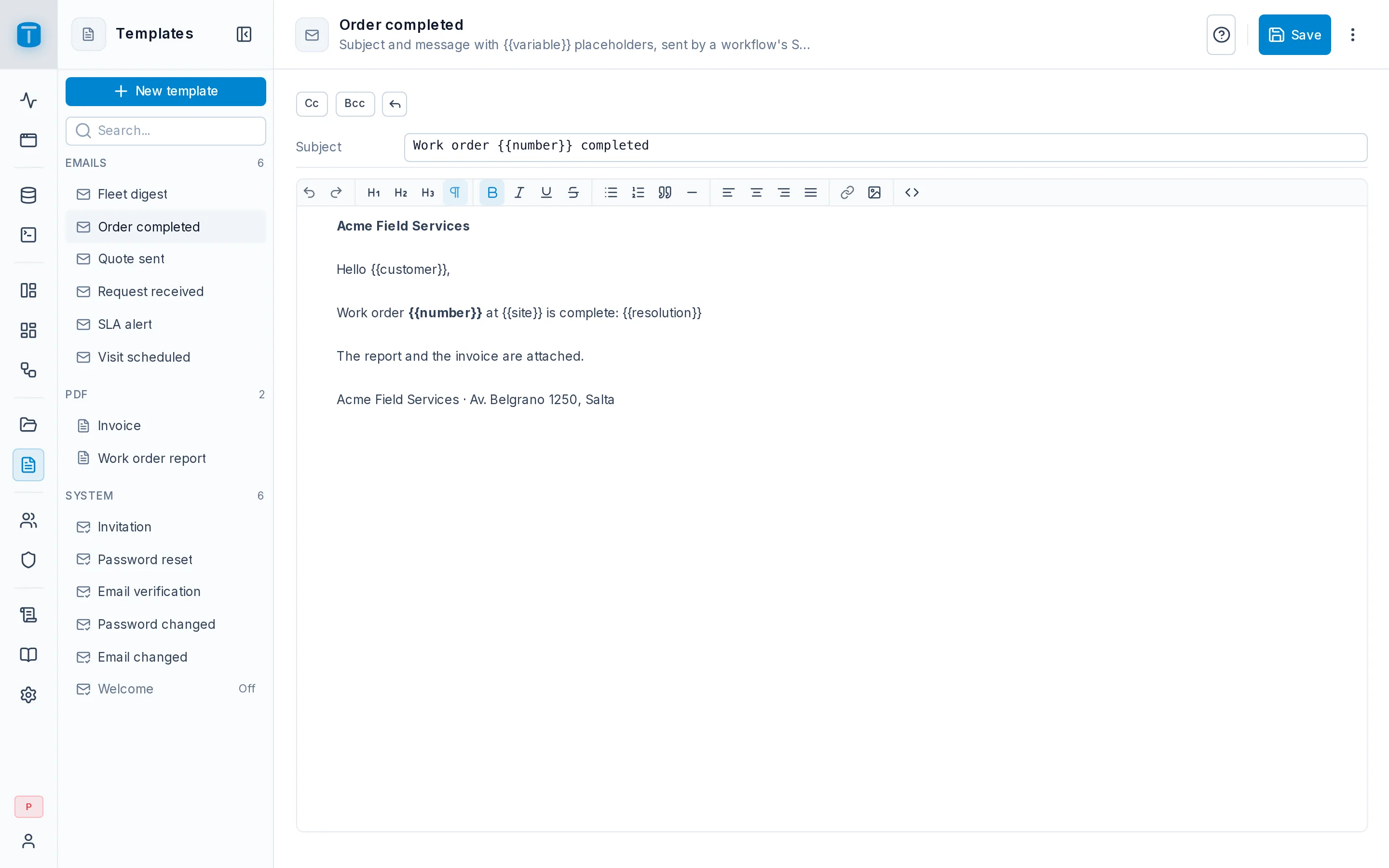
Subject:  Work order {{number}} completed

Hello {{customer_name}},

Our technician {{technician}} completed work order {{number}} at {{site}}.
Resolution: {{resolution}}
The editor
| Field | |
|---|---|
| Subject | text with placeholders |
| message | rich text (HTML) with placeholders |
| Default Cc, Default Bcc, Reply-to | shown with the toolbar's Cc, Bcc and reply buttons. Addresses separated by commas, used when the step leaves them empty |
Save, or Ctrl/⌘+S, stores it.
Placeholders
A placeholder is {{name}}. Every value comes from the step's Data: a template has no default values, and a placeholder the data doesn't fill fails the step, so an email is never sent half-filled. The recipients are always the step's, never the template's.
{
  "number": "{{start.data.number}}",
  "customer_name": "{{find_customer.data.name}}",
  "technician": "{{find_technician.data.name}}",
  "site": "{{find_site.data.name}}",
  "resolution": "{{start.data.resolution}}"
}
There's no preview or test send in the editor: try the template with a test run of the workflow, which sends a real email.
Emails go through the mail relay in Settings › General › SMTP.
Next steps
- PDF: a document instead of an email.