

Security
In the admin: Workflows › a Workflow › Settings › Security
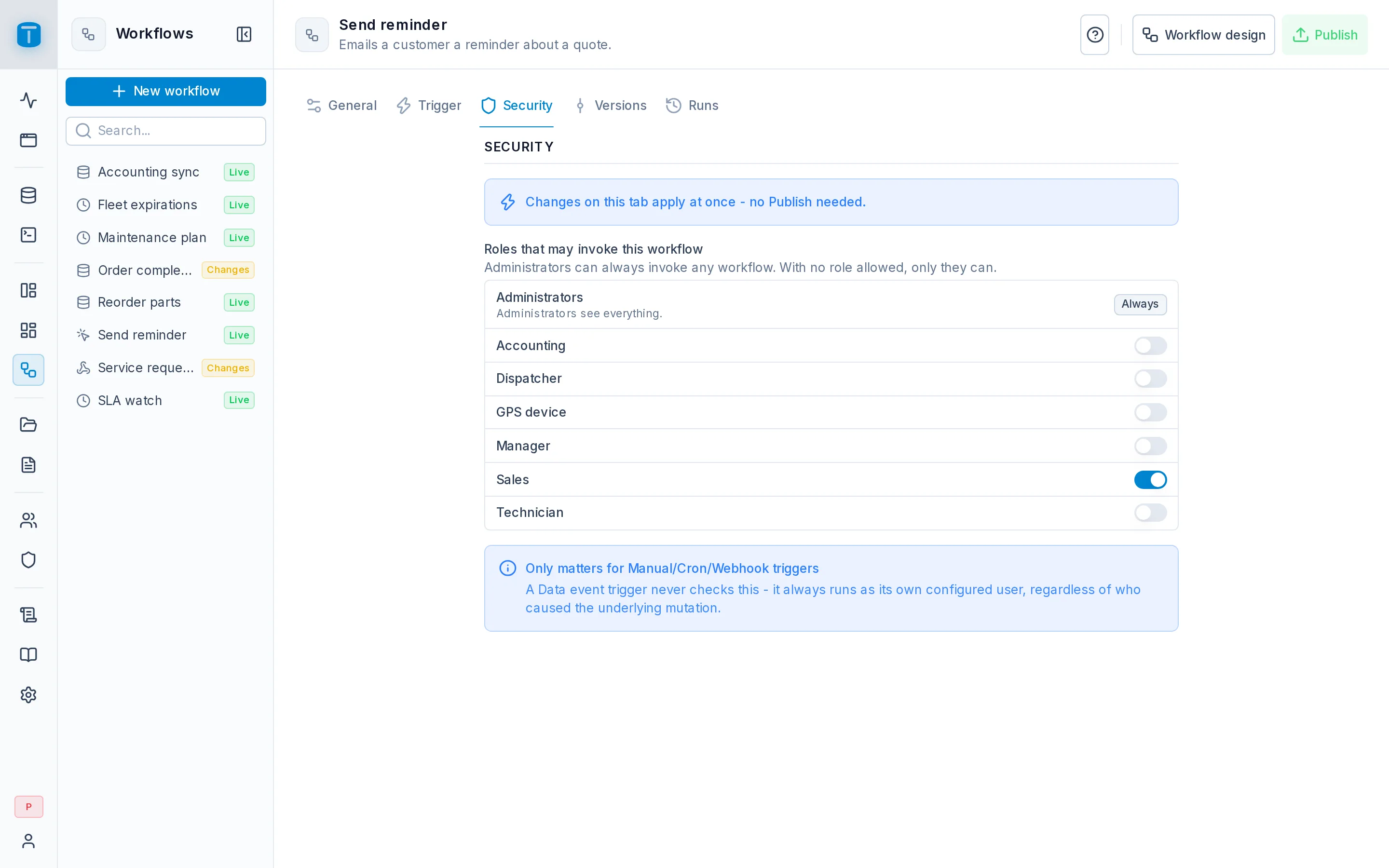
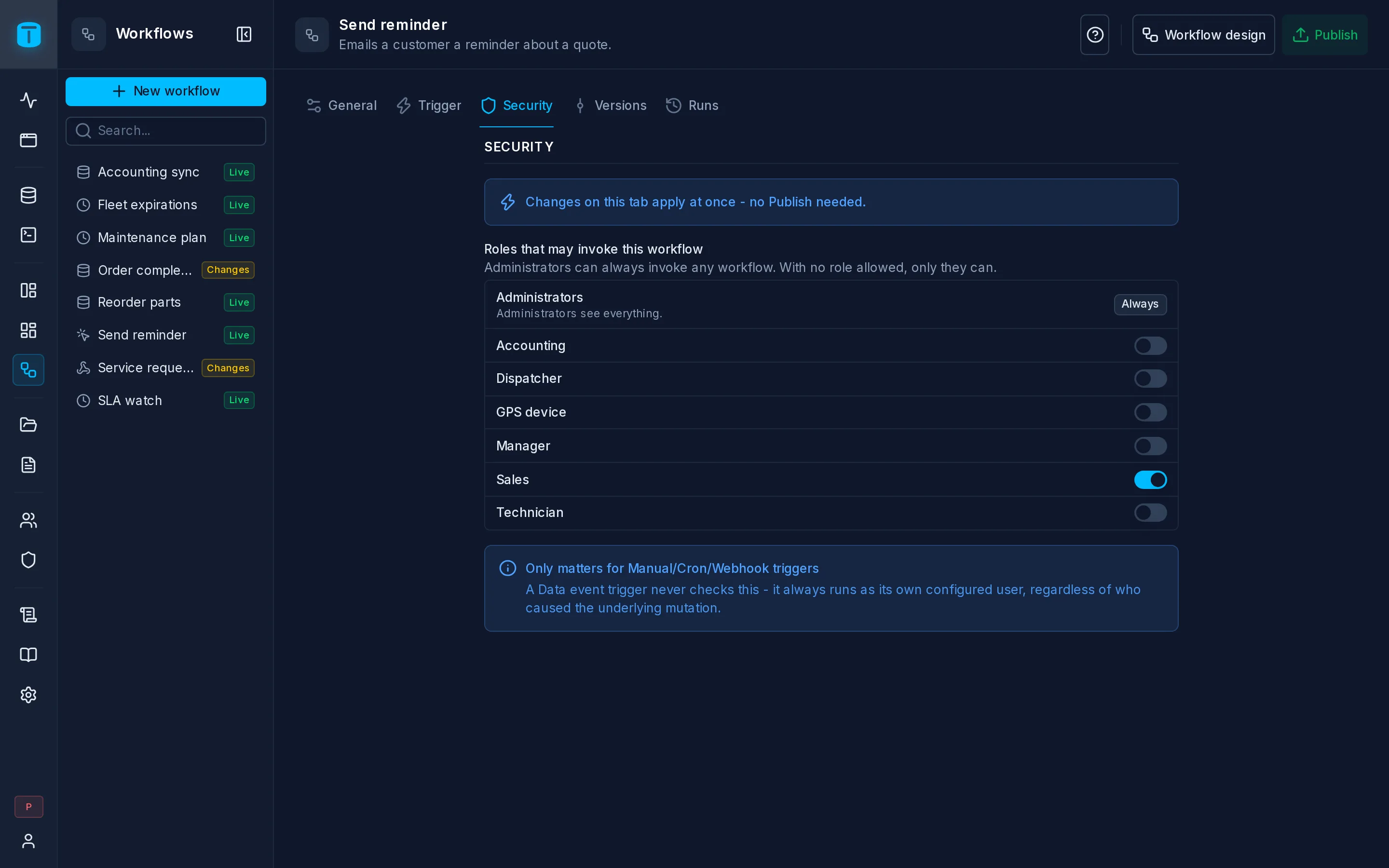
Security lists the roles, each with a switch: Roles that may invoke this workflow. A role switched on may start the workflow on demand. Changes apply at once, without publishing.
The list
- Administrators show Always: they can invoke every workflow.
- Each role has a switch. A new workflow has none switched on, so only administrators can start it.
- The grant is only an allow: there's no way to deny a role, and a user may invoke the workflow when any of their roles is switched on.
What it's checked for
The invoke grant decides who may start the workflow:
| Started by | Checks the grant |
|---|---|
POST /api/workflows/{slug}/run, which DataView actions and App pages use | yes, the caller's roles |
| An Authenticated webhook | yes, the caller's roles |
| Run › Production in the editor | yes; administrators always pass |
| Execute another workflow, toward a Manual workflow | yes, the calling run's executor |
Reading a run's result, GET /api/workflows/runs/{runId}/result | yes, still held by the caller |
| A Database event, a Schedule's own occurrences, a Public webhook, a test run | no: there's no caller to check |
At Acme, Send reminder is switched on for Sales, so the Customers DataView shows its action to sales reps. Users without the grant don't see the action at all.
What it doesn't do
The invoke grant is object access: it lets a role start the workflow, and grants no data. Every step then acts as the run's executor, whose own permissions decide what it may read and write: the caller's when the trigger has no Execute as, that user's when it has one.
So the two settings go together:
- a Manual workflow without Execute as does what the caller could do anyway, through the API;
- a Manual workflow with Execute as lets the roles you switch on here do what that user may do, through this workflow and only through it. Switch on only the roles that should.
It also doesn't give access to the workflow's design or its runs: editing, publishing, enabling and reading runs are for administrators only. A caller can read only its own run's outcome.
Next steps
- Object access: the same model for DataViews and dashboards.
- Trigger: who the run acts as.